
Power Automate Workflows
I designed and implemented a set of automated workflows to streamline both employee onboarding and offboarding, reducing manual coordination across IT, HR, and operations.
Using Microsoft Power Automate, I built end-to-end onboarding flows that trigger as soon as a new hire is entered into the system. These workflows automatically create user records, assign role-based access, provision resources, and route requests across departments such as Finance, HR, and Sales. Conditional logic ensures that each employee is set up with the correct tools, permissions, and group memberships based on their role, eliminating repetitive manual setup and reducing onboarding time.
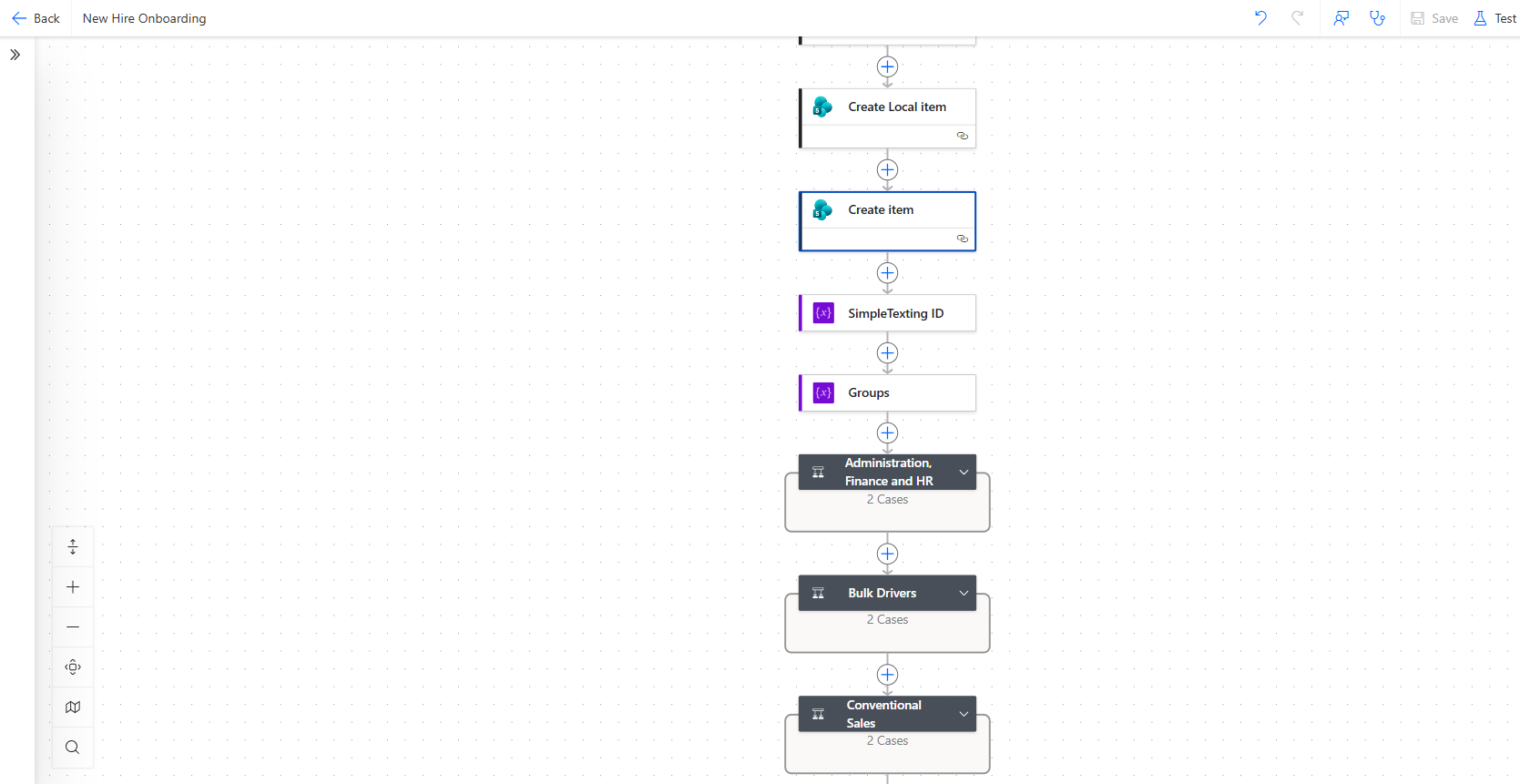
Onboarding Power Automate Structure
For offboarding, I developed a termination workflow that systematically handles asset recovery, access removal, and internal notifications. The flow dynamically checks for assigned resources such as company vehicles, lockers, uniforms, and system access, then triggers the appropriate actions and sends a consolidated termination summary to stakeholders. This ensures consistency, accountability, and security during the offboarding process.
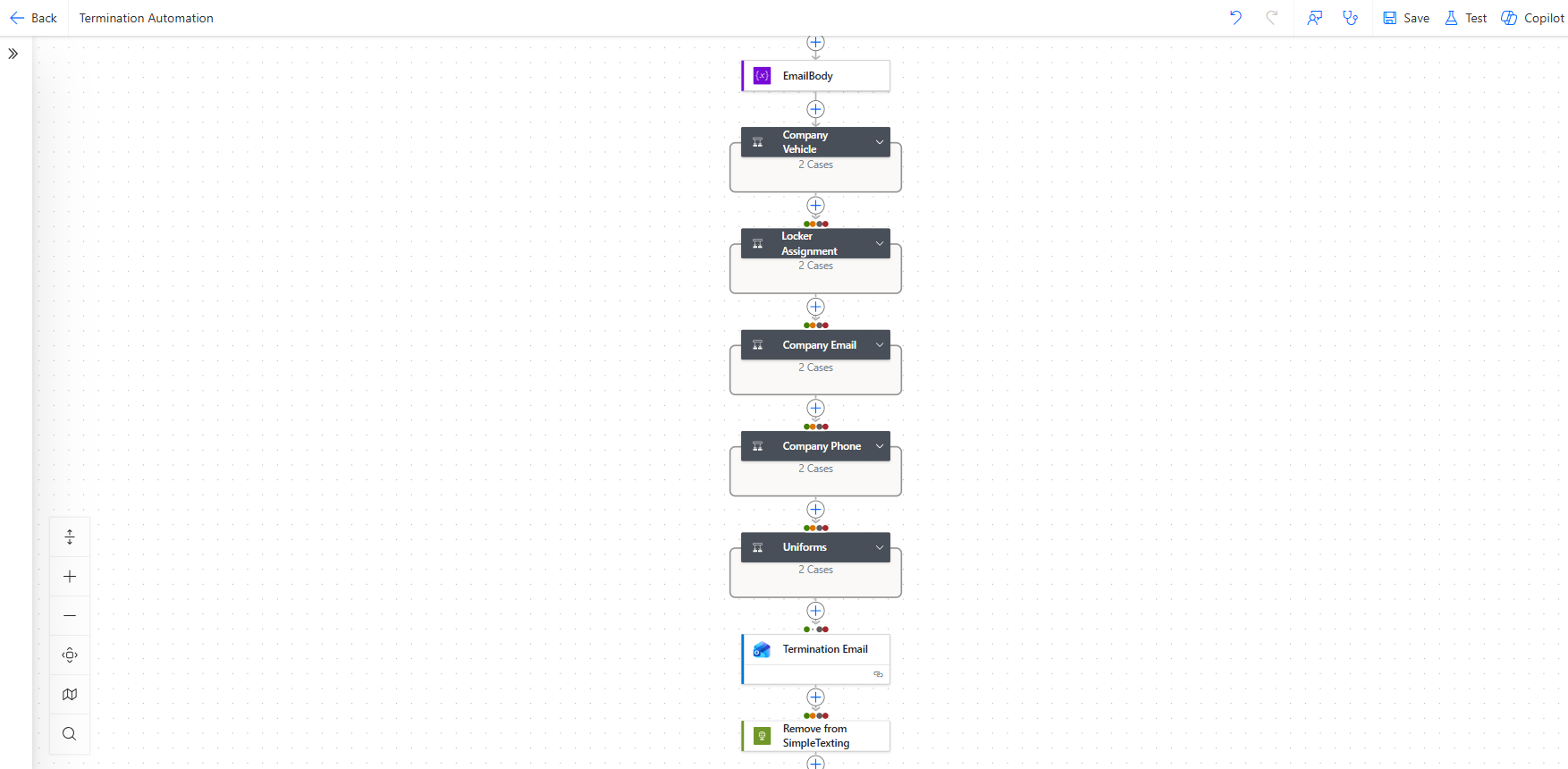
Offboarding Power Automate Structure
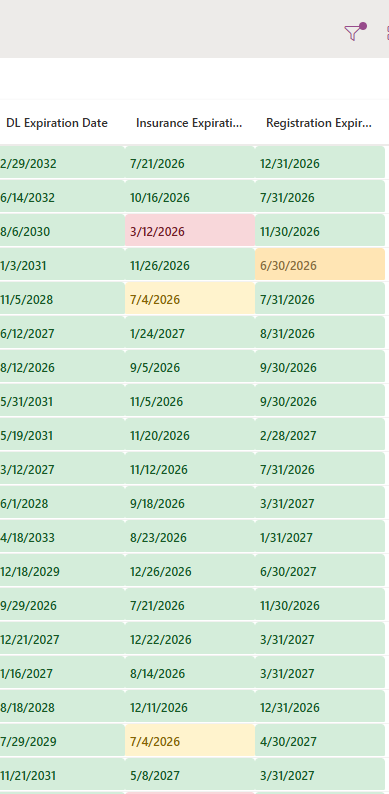
To support compliance, I also built a centralized driver documentation database that tracks key expiration dates such as driver’s licenses, insurance, and registrations. Using automated logic and conditional formatting, the system highlights upcoming and overdue items, while scheduled workflows send proactive renewal reminders to employees and managers. This created a reliable, real-time compliance tracking system that significantly reduces risk.
Across all solutions, I integrated APIs and connected services to synchronize data between platforms, ensuring that updates in one system are reflected everywhere. The result is a cohesive automation ecosystem that improves operational efficiency, enhances data accuracy, and provides clear visibility across the organization.
Mileage Reimbursement System
I designed and built a fully automated mileage reimbursement system using Google Forms, Google Sheets, and Apps Script, replacing a manual and error-prone process with a streamlined solution.
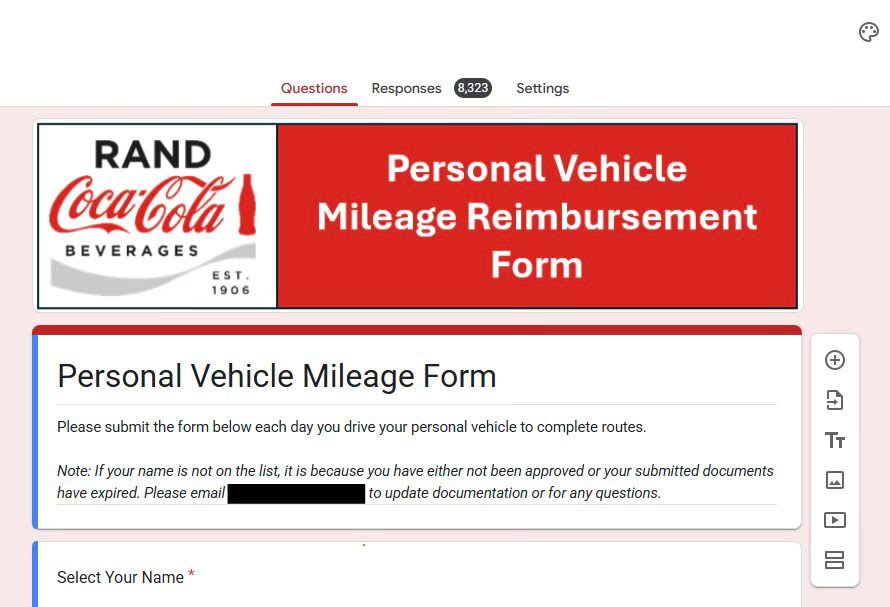
On the front end, I created a branded Google Form that allows employees to submit daily mileage in a simple and consistent way. Form responses feed directly into a centralized Google Sheet, where I implemented formulas to automatically calculate reimbursement amounts based on current mileage rates and validate entries for accuracy.
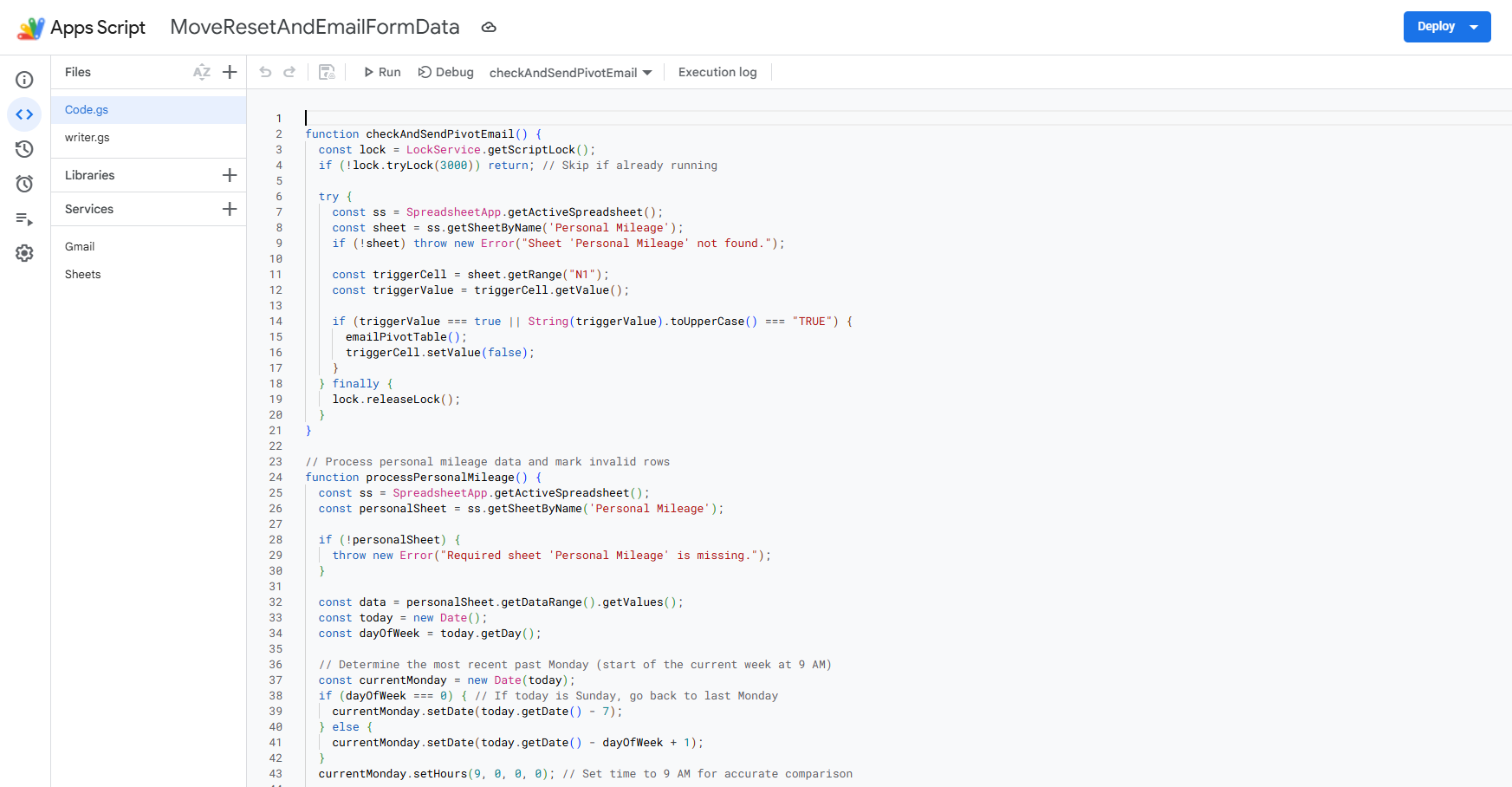
On the backend, I developed custom automation with Google Apps Script to process submissions, flag issues, and organize the data into reporting-ready formats. I also built a trigger-based workflow that compiles mileage data each pay cycle, generates a summary report, and automatically emails it to the finance team for review. This removed the need for manual tracking and follow-ups.
The result is a reliable and efficient system that improves accuracy, reduces administrative work, and creates a transparent process for both employees and finance.